Getting started
This guide covers the basic steps you need to get started with Attive. In short, there are six steps to follow:
- Create your workspace and invite members
- Connect your sources
- Set up your initial graph and publish
- Create basic memories
- Start chatting
- Next steps
Let's go through them in more detail.
1 - Set up your workspace and invite members
This usually happens during onboarding. We handle the initial configuration with you; you simply provide the email addresses for the first users.
To start, it is best to invite only the users who will help configure the workspace. Once you are in Attive as an admin or owner, you can invite additional teammates at any time.
Time estimated: 10 minutes
2 - Connect your sources
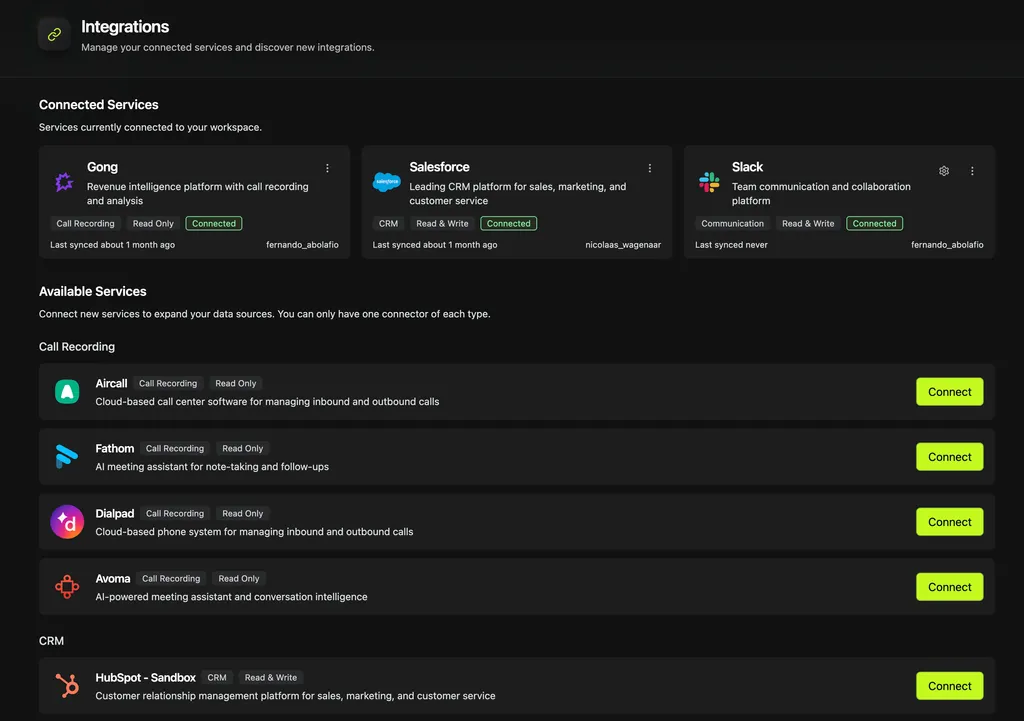
Once your initial users are in Attive, go to the Integrations page and add the first data sources. You can always add more later. The key step is to connect the primary system your graph will be built from, which is usually your CRM or data warehouse.
Time estimated: 10 minutes / 1 hour
- If your workspace requires a different setup this can take longer, such as creating permissions for accessing the Data Warehouse.
3 - Set up and publish your graph
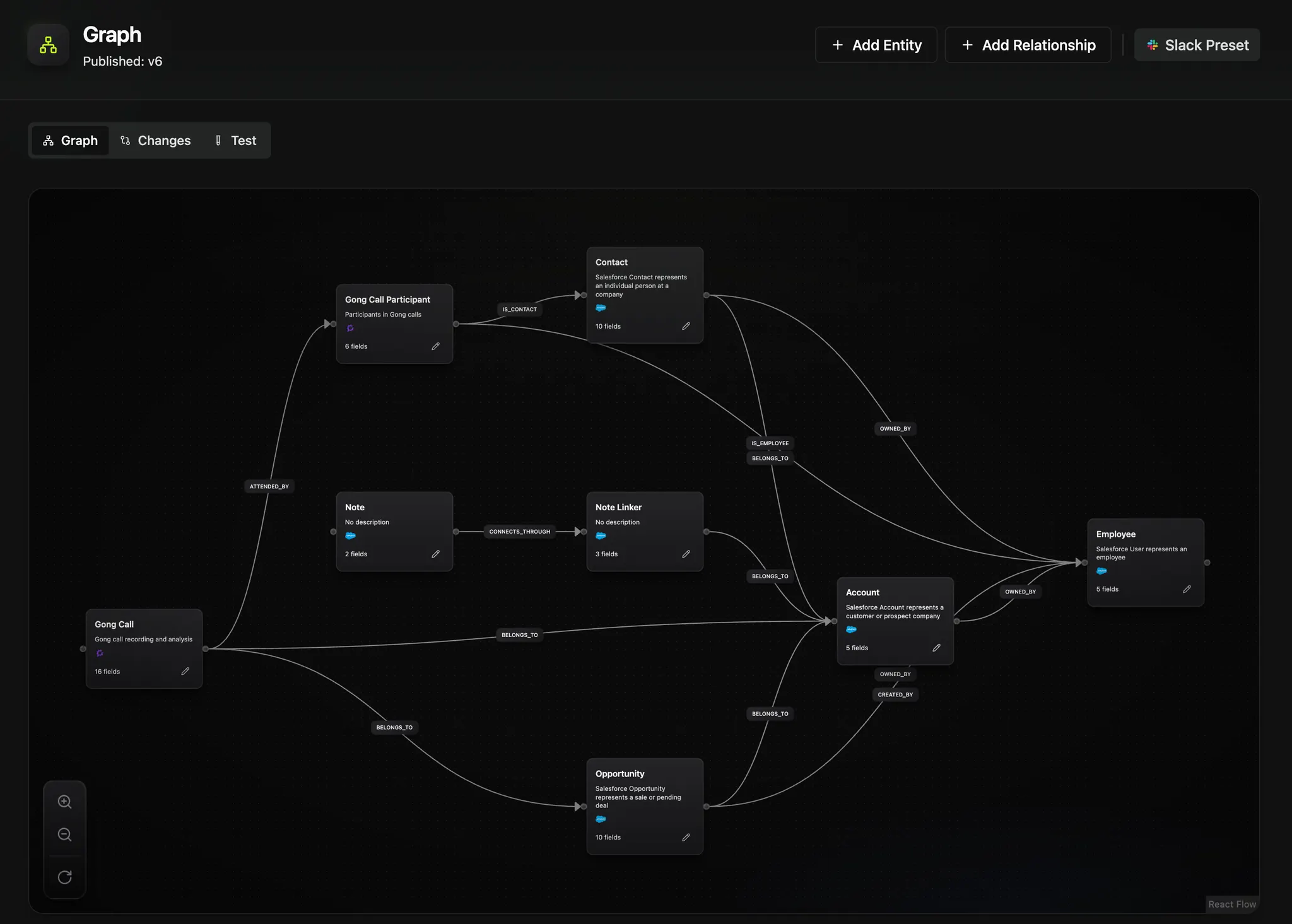
Once you're done with the initial integration connections, it's time to initialize your graph, make the first few adjustments and publish it.
This is where you choose the first set of entities you want to bring into Attive. The best way to decide which ones you need is to think about the questions you want Attive to answer, then work backwards to the data required to answer them.
Attive is flexible, so it is okay to bring in more than you need to be on the safe side. Updating and republishing your graph is also straightforward, so you can always add entities, relationships, and fields later.
Once you're satisfied with your initial configuration, you can hit publish. Attive will start syncing your data. This process can take from a few minutes to 1 or 2 hours for the first sync. Subsequent syncs are faster and don't impact your ability to use the app.
Time estimated: 1 hour
4 - Create basic memories
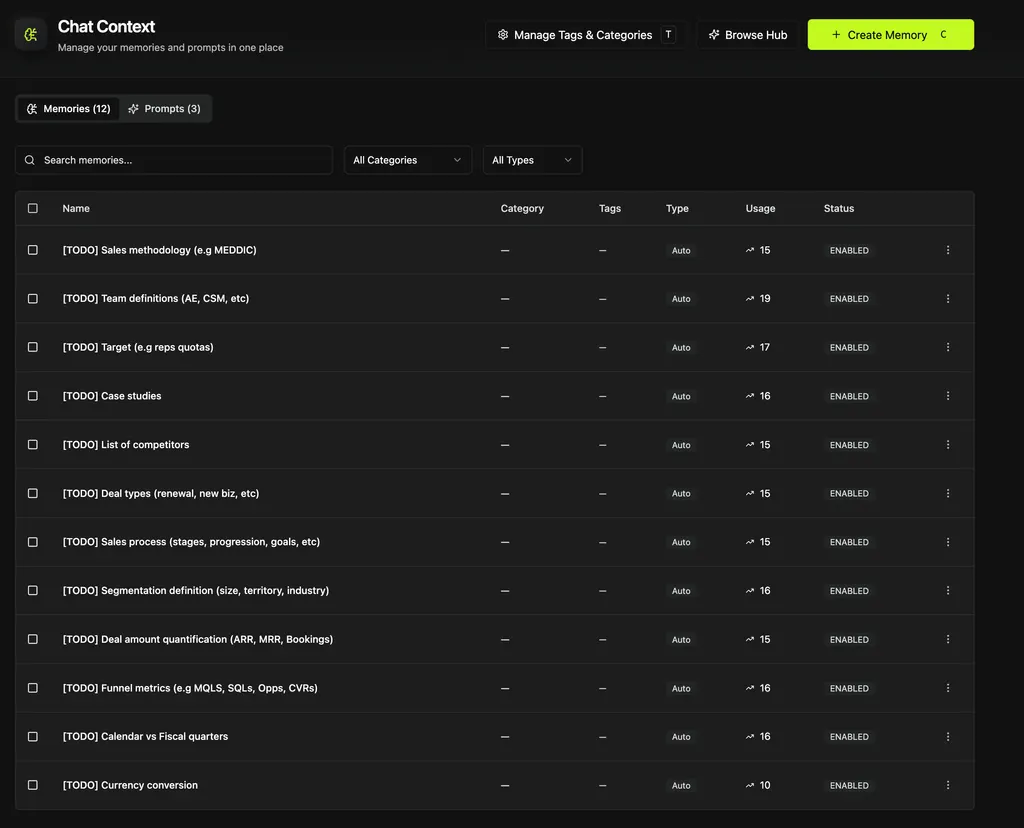
At this point you are already ready to chat in Attive. However, it will only know as much as your data tells it.
To get the best out of Attive, we recommend setting up a few basic memories. The screenshot above shows examples we often recommend to new workspaces, and they can naturally be tailored to your use case.
See also Attive: on memories prompts and agents for better understanding of memories prompts and agents and how to tailor Attive to your use-case.
Over time, your best memories will be the ones you create while using Attive. One of the most effective patterns we see for creating helpful and accurate memories is this:
Creating good memories
You are in a chat and Attive makes a mistake while answering your question. You go back and forth with Attive and discover that it used the 'Opportunity created date' instead of the 'closed date' for a quarterly pipeline report. Once you spot the error, ask Attive: "Which memory could I add to prevent this mistake in the future?" Attive will often give you a copy-and-paste memory you can add directly to your library.
This is a simple example, but the same pattern works for more nuanced questions where you want Attive to understand your intent accurately.
Time estimated: 1 hour for the initial batch of memories
5 - Start chatting
You are ready to start asking questions in Attive. Begin with a few straightforward prompts to get a feel for what Attive understands and to assess the quality of your data. These first chats help you build trust in the system and identify the gaps you still need to fix.
For example, start with facts you have a good understanding of:
- How many opportunities did we close last quarter?
- Who is our most valuable account?
- How fast are we closing opportunities?
Then follow up based on Attive's answers. If the facts look accurate, try drilling down by region, industry, or team. If you are not confident in the results, ask Attive how it arrived at them. That is a great way to uncover missing graph structure or memories you still need to add.
Once you get more confident on the basics, start challenging Attive with bigger questions such as:
- Which accounts are at risk?
- Can you forecast our pipeline for end of year?
- What's my sales team performance in revenue and closing speed?
6 - Next steps
Once your foundation is in place and you are getting value from chat, there is a lot more you can do with Attive. For example:
- Explore how to use boards to capture your insights and build lightweight dashboards
- Create automations to automate your reports, using the automation builder
- Connect Attive to Slack (if your team uses it)
- Create specialized agents for different use cases and start serving your commercial team